Notemod-selfhosted Web Manual (v1.4.6)
Notemod-selfhosted is a self-hosted edition specialized for “running on your own server with JSON as the single data source,” based on upstream Notemod (static UI / browser local storage). It does not require a database, and you can start using it simply by uploading the full set of files to your server.
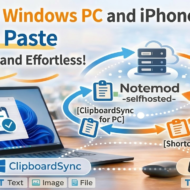
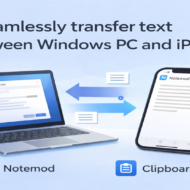
It is developed to smoothly exchange text, images, and files between Windows PCs and iPhones without relying on external services. It can also serve as an alternative to note services such as simplenote.com.
In v1.4.6, media management has been strengthened by adding image_index.json, lock flag support in file_index.json / image_index.json, lock / unlock UI in media_files.php, exclusion of locked media from deletion, preservation of lock state during cleanup, authentication-related security enhancements, reduced plain-text token exposure, and server-side relay design in media_files.php.
1. What is Notemod-selfhosted
Main features
- Clipboard contents (text, images, files) can be shared across devices using the Windows app (ClipboardSync) and iPhone Shortcuts.
- The note core is consolidated into
notemod-data/<USER_NAME>/data.jsonwithout depending on GitHub / Gist - Provides PHP-based synchronization (
save/load) and APIs - Supports Web UI authentication, making it easier to protect access even on servers where BASIC auth is unavailable
- Per-user structure under
config/<USER_NAME>/.../notemod-data/<USER_NAME>/.../logs/<USER_NAME>/... - Image / file management via
media_files.php - Backup settings, manual backup, and restore via
bak_settings.php - Direct display and size-specified delivery of stored images via
api/image_api.php - Access logging via
logger.php - Supports optional encrypted storage of
data.json - Allows mandatory configuration of an authentication email address in
setup_auth.php - Supports password reset via
forgot_password.php/reset_password.php - Shared mail settings for all users via
config/mail.php - Supports both
mail()and SMTP - SMTP settings editing and SMTP test sending are available from
log_settings.php - Pre-sync-save backup settings via
config/<USER_NAME>/config.php SYNC_PRE_SAVE_BACKUP_ENABLEDcan enable / disable pre-sync-save backup in the Web UISYNC_PRE_SAVE_BACKUP_PRUNE_ENABLEDcan enable / disable automatic pruning of old backups immediately before pre-sync-save backup- Supports index management of currently existing images via
image_index.json - Each entry in
file_index.json/image_index.jsoncan keeplockto preserve deletion-exclusion state media_files.phpallows per-image / per-file lock / unlock switching- Locked images / files can be excluded from individual deletion, bulk deletion, and cleanup-related deletion
- v1.4.6 expands operational manageability further by adding media lock and related controls on top of the previous API usage, authentication/mail operation, and automatic backup pruning
- Added common security headers, CSRF protection, rate limiting, and audit logging for authentication-related pages
- Improved handling so API tokens are not shown in plain text in
setup_auth.php,clipboard_sync.php, andmedia_files.php
Main additions and improvements in v1.4.6
- Continues the v1.4.5 pre-sync-save backup settings in the Web UI and automatic pruning of old backups immediately before that
- Added
notemod-data/<USER_NAME>/image_index.json - Improved incremental updates of
image_index.jsonwhen uploading images - Improved regeneration of
image_index.jsonafter image deletion or purge - Improved
media_files.phpso it prioritizesimage_index.jsonwhen building the image list - Added
lockto each element offile_index.json - Added
lockto each element ofimage_index.json lockvalues are boolean (true/false)- Default initial
lockvalue for new images / files isfalse - Added lock icon UI to the right of the checkbox for each image / file row in
media_files.php - The lock icon toggles lock / unlock on each click
- The lock UI is adjusted as a small icon button so it blends into the existing screen
- Images / files with
lock=trueare excluded from deletion targets - Improved so even if they are selected by checkbox, locked media are not deleted
- Improved
api/cleanup_api.phpso it preserves existing lock state when regeneratingfile_index.json/image_index.json - This makes lock settings less likely to be lost after cleanup or purge
- Added common security headers and CSRF protection to major Web UI pages
- Added rate limiting to
login.php,forgot_password.php, andreset_password.php - Added audit logging to
logs/system/audit.log - Improved
setup_auth.phpso existing API tokens are not displayed in plain text - Improved
clipboard_sync.phpso tokens are masked by default, only temporarily revealed when unlocked, automatically re-locked after 10 seconds, and protected by CSRF - Changed
media_files.phpto a server-side relay design that does not directly expose API tokens to the browser - Added
parse_file_history_jsonl()tomedia_files.phpfor restoring file list display fromfile.json - Reorganized
api/image_api.phpso user resolution works naturally withuser,dir_user, andusername - Continues v1.4.3 append / search / journal API expansion and v1.4.2 snapshot normalization, import stabilization, extended session settings, XSS protection, and optional encryption support
2. Requirements
- PHP 8.1 or later recommended
- HTTPS recommended
- Commonly needed extensions:
jsonmbstringgd-related extension may be required for image conversion or resizing- OpenSSL-capable environment is recommended when using TLS / SSL for SMTP
- Environment with
.htaccesssupport is recommended
On shared hosting, availability of
.htaccess, PHP extensions, mail sending functions, and SMTP communication restrictions varies by provider. Pre-checking is recommended.
3. Directory structure (standard for v1.4.6)
public_html/
├─ index.php
├─ logger.php
├─ notemod_sync.php
├─ setup_auth.php
├─ login.php
├─ logout.php
├─ account.php
├─ forgot_password.php
├─ reset_password.php
├─ auth_common.php
├─ bak_settings.php
├─ log_settings.php
├─ clipboard_sync.php
├─ media_files.php
├─ data_crypto.php
├─ manifest.php
├─ sw-register.js
├─ service-worker.js
├─ sw.php
├─ api/
│  ├─ api.php
│  ├─ read_api.php
│  ├─ image_api.php
│  ├─ cleanup_api.php
│  ├─ append_api.php
│  ├─ search_api.php
│  ├─ journal_api.php
│  └─ .htaccess
├─ config.sample.php
├─ config.sample.ja.php
├─ config.api.sample.php
├─ config.api.sample.ja.php
├─ config/
│  ├─ mail.php
│  └─ <USER_NAME>/
│     ├─ auth.php
│     ├─ config.php
│     ├─ config.api.php
│     └─ password_reset.json
├─ notemod-data/
│  └─ <USER_NAME>/
│     ├─ data.json
│     ├─ note_latest.json
│     ├─ image_latest.json
│     ├─ image_index.json
│     ├─ file_latest.json
│     ├─ file.json
│     ├─ file_index.json
│     ├─ _known_ips.json
│     ├─ images/
│     └─ files/
├─ logs/
│  ├─ <USER_NAME>/
│  └─ system/
│     └─ audit.log
└─ pwa/
   ├─ icon-192.png
   └─ icon-512.png
Notes
config/andnotemod-data/are stored under per-user directoriesconfig/mail.phpis the shared mail setting file for all usersdata_crypto.phpis expected to be placed in the same directory asindex.phpapi/is under the public directory, but additional protection is recommended in production
4. Initial setup
4.1 Upload to the server
Upload the full file set to your public web folder.
Example: public_html/
4.2 Initial configuration in setup_auth.php
Open setup_auth.php in a browser and configure:
- Initial user
- Password
- Authentication email address
SECRET(automatically generated)EXPECTED_TOKENADMIN_TOKEN- Encryption settings if needed
- Session settings if needed
- Pre-sync-save backup related settings if needed
The following are automatically generated as needed during first creation:
config/<USER_NAME>/auth.phpconfig/<USER_NAME>/config.phpconfig/<USER_NAME>/config.api.phpnotemod-data/<USER_NAME>/data.json
4.3 Things to check after first access
config/<USER_NAME>/...has been creatednotemod-data/<USER_NAME>/...has been createdlogs/<USER_NAME>/has been created as needed- You can log in to the Web UI
- API tokens are saved as expected
EMAILis stored inconfig/<USER_NAME>/auth.php- The following are stored in
config/<USER_NAME>/config.php SYNC_PRE_SAVE_BACKUP_ENABLEDSYNC_PRE_SAVE_BACKUP_PRUNE_ENABLED- Check whether session settings such as
SESSION_COOKIE_LIFETIMEmatch your intent - If SMTP settings were saved, confirm that
config/mail.phphas been created - When images or files are added, confirm that
image_index.jsonfile_index.json
are generated / updated
5. Security (important)
5.1 Recommended order
- BASIC auth on the API directory + Web UI auth + API tokens
- If BASIC auth is unavailable, Web UI auth + API tokens
- IP restriction if possible
- Separate public exposure scope as needed
5.2 Things to protect
At minimum, the following should not be directly exposed externally:
config/<USER_NAME>/notemod-data/<USER_NAME>/logs/<USER_NAME>/config/mail.php
5.3 API token roles
- Normal operations:
EXPECTED_TOKEN- Dangerous operations:
ADMIN_TOKEN
Separating ADMIN_TOKEN makes it easier to reduce the risk of deletion-related APIs.
5.4 About image publication
In the current implementation, api/image_api.php returns stored images using user and file rather than token.
Therefore, you should consider in advance:
- To whom image URLs are disclosed
- How guessable
userandfileare - Whether to apply BASIC auth to the entire
api/ - Operational rules for images meant for sharing versus private images
5.5 About XSS protection
In v1.4.6, following v1.4.2 and later, client-side processing around note titles, category names, body display, edit modals, and HTML insertion has continued to be reviewed.
Even so, for public operation, minimizing exposure, using strong authentication, and reviewing your custom modifications are still recommended.
5.6 About authentication email address and SMTP password
EMAILinconfig/<USER_NAME>/auth.phpis the authentication email addressSMTP_PASSWORDinconfig/mail.phpis stored in plain text- Both should be operated on the assumption that they are not publicly accessible
5.7 About SMTP and sender addresses
When using SMTP, check consistency among the following:
SMTP_FROMIP_ALERT_FROM- The account used for SMTP authentication
- SPF / DKIM for the sender domain
With providers such as Gmail, unverified sender addresses may be rejected.
5.8 Additional Web UI protections in v1.4.6
v1.4.6 adds or strengthens the following protections in major Web UI screens:
- Common security headers
- CSRF protection
- Rate limiting for login / password reset related pages
- Session regeneration on successful login
- Audit logging
- Reduced plain-text exposure of API token values in
setup_auth.php,clipboard_sync.php, andmedia_files.php
6. Web UI authentication and management pages
index.php
This is the main Notemod screen. It is the center for note browsing, editing, and category management.
Notes (sync safety improvements in v1.4.6):
- When 401 / 403 is detected during communication with
notemod_sync.php, automatic sync is paused and the screen now clearly indicates that re-login is required - After session expiry, auto load and manual load are conditionally blocked to reduce the risk of dangerous overwrites caused by
Load from Server - A strong warning is now shown only when local changes were made after session expiry, and the issue where the red warning could appear repeatedly during normal operation was fixed
- After a normal successful sync, warning-related flags are cleared and the UI returns to the normal state
login.php
This is the login screen when using Web UI authentication.
In v1.3.1, the UI was unified with the custom settings pages described later so that appearance and usability are consistent after login.
In v1.4.6, it also supports the Forgot password link and success messages after password reset.
account.php
You can change your username and password here.
It also serves as the entry point to various custom settings pages.
In v1.4.6, it continues the improvement that changing the password from account.php does not erase EMAIL in auth.php.
clipboard_sync.php
This is the clipboard integration settings screen. It provides download links for the Windows app (ClipboardSync) and iPhone Shortcuts, making setup easier. API URLs can be checked and copied. Tokens are masked by default, only temporarily revealed when unlocked, automatically re-locked after 10 seconds, copyable only while visible, and the reveal endpoint is protected by CSRF.
media_files.php
This is the management screen for images and files. It supports uploading, individual deletion, and bulk deletion of images and files. It also lets you review server upload / download related settings.
Main features:
- Check server-side file related settings
- Display image list
- Display file list
- Drag-and-drop upload
- Download images / files
- Copy image by clicking image thumbnail
- Organize images / files
- Checkbox-based deletion
- Lock / unlock per image
- Lock / unlock per file
- Exclude locked media from deletion
- Prefer
image_index.jsonwhen building the image list - Prefer
file_index.jsonwhen building the file list - Use a server-side relay design for upload / cleanup / lock / download without exposing API tokens to the browser
Notes:
- The lock icon is placed to the right of the checkbox in each row
- Locked (
lock=true) items are excluded from deletion targets - Unlocked (
lock=false) items can be deleted as before
bak_settings.php
This is the backup settings screen for data (data.json).
Main features:
- Enable pre-sync-save backup (
SYNC_PRE_SAVE_BACKUP_ENABLED) - Prune old backups before sync save (
SYNC_PRE_SAVE_BACKUP_PRUNE_ENABLED) - Enable / disable backup
- Set retention count
- Back up now
- Delete old backups
- Restore from backup
Notes:
SYNC_PRE_SAVE_BACKUP_ENABLEDcontrols whether a backup is created immediately before actual save during Web UI sync saveSYNC_PRE_SAVE_BACKUP_PRUNE_ENABLEDcontrols whether old backups are automatically pruned immediately before that backup is createdSYNC_PRE_SAVE_BACKUP_PRUNE_ENABLEDis displayed slightly indented underSYNC_PRE_SAVE_BACKUP_ENABLEDas a child option- Old backup pruning uses the same logic as Delete to keep latest n backups
- The number check for old backup pruning uses
CLEANUP_BACKUP_KEEP
log_settings.php
This is the settings screen for access log retention / deletion. It also handles IP access notification settings (email address).
In v1.4.6, it continues to support reflecting the authentication email address, SMTP settings, and SMTP test sending.
Main features:
- Enable / disable access logging
- Enable / disable saving access logs to the Notemod Logs category
- Configure maximum number of access log lines
- Enable / disable notification on first access from an IP
- Configure email address for IP access notifications
- Reflect authentication email button
- SMTP settings (expandable UI)
- SMTP test sending
- Safe handling of SMTP password
- Do not re-display existing values on screen
- Keep current value when saving blank
setup_auth.php
This is the screen for initial Web UI authentication setup.
It serves as the entry point for environments where BASIC auth is unavailable but Web UI auth + API token operation is needed.
In v1.4.6, it continues to require an authentication email address and saves it to config/<USER_NAME>/auth.php.
It can be used without login during initial setup, while later changes after authentication setup are allowed only for logged-in users.
It also avoids showing existing API tokens in plain text and includes the following in newly generated config.php:
SYNC_PRE_SAVE_BACKUP_ENABLEDSYNC_PRE_SAVE_BACKUP_PRUNE_ENABLED
forgot_password.php
This is the password reset request screen.
Input accepts username or email address.
The result message is always unified so it is harder to use for existence confirmation.
reset_password.php
This is the new password setting screen opened from the tokenized URL received by email.
The token expires in 30 minutes, and after success it returns to login.php?reset=success.
7. data.json, storage format, and encryption
7.1 Role of data.json
The main Notemod data is stored in notemod-data/<USER_NAME>/data.json.
Typical contents:
categoriesnotesselectedLanguagehasSelectedLanguagecategoryOrdernoteOrder
Depending on the client or import path, these may arrive as stringified values.
Therefore, in v1.4.6 as well, the snapshot normalization mechanism is still applied before save.
7.2 Normalization processing still carried forward in v1.4.6
notemod_sync.php applies nm_sync_normalize_snapshot() before empty-save checks, diff checks, and actual save.
Main correction targets:
categoriesnotescategoryOrdernoteOrderhasSelectedLanguageselectedLanguage
This helps prevent broken saves such as:
"categories": "[{\"id\":...}]",
"notes": "[{\"id\":...}]"
7.3 Encryption support
data.json can still be stored optionally encrypted.
- Encryption method: AES-256-CBC + HMAC
- Setting location:
config/<USER_NAME>/config.php - Main setting keys:
DATA_ENCRYPTION_ENABLEDDATA_ENCRYPTION_KEY
7.4 Behavior when switching encryption
When turning encryption ON / OFF, processing follows this safe order:
- Read current
data.json - Create one pre-switch backup
- Attempt writing in the new save format
- Update settings in
config/<USER_NAME>/config.phponly if successful - Do not change settings if writing fails
7.5 Handling of encryption keys
DATA_ENCRYPTION_KEYis not shown in plain text in the UI- A key can be auto-generated when not configured
- Export is always plain JSON even when encryption is enabled
7.6 Backup file names
Backups are named according to state as follows:
- Plaintext backup:
data.json.bak-YYYYMMDD-HHMMSS - Encrypted backup:
data.enc.json.bak-YYYYMMDD-HHMMSS
7.7 Pre-sync-save backup in the Web UI
In v1.4.6, pre-sync-save backup in the Web UI is still controllable by settings.
Main setting keys:
SYNC_PRE_SAVE_BACKUP_ENABLEDSYNC_PRE_SAVE_BACKUP_PRUNE_ENABLED
Behavior:
- If
SYNC_PRE_SAVE_BACKUP_ENABLED=true, a pre-sync-save backup is created when a diff exists and actual saving is required - If
SYNC_PRE_SAVE_BACKUP_ENABLED=false, that backup is not created - If
SYNC_PRE_SAVE_BACKUP_PRUNE_ENABLED=true, old backups are pruned immediately before creating the pre-sync-save backup - Old backup pruning uses
CLEANUP_BACKUP_KEEPfor count judgment and follows the same logic as the delete button inbak_settings.php - If
SYNC_PRE_SAVE_BACKUP_ENABLEDis not set in an existing environment, it is treated as enabled for backward compatibility
7.8 Old backup pruning rule
When pruning old backups, the backup list is sorted in newest-first order (by file modification time).
Then the newest n are kept and the rest are deleted.
nisCLEANUP_BACKUP_KEEP- If
n=0, all are deleted - Plaintext and encrypted backups are judged together
8. Auxiliary data files
Note-related
note_latest.json- Meta information for the latest single note
Image-related
image_latest.json- Meta information for the latest single image
image_index.json- List of currently existing images, used for
media_files.php - Each entry keeps
lock images/- Image storage directory
File-related
file_latest.json- Meta information for the latest single file
file.json- File history log (JSON Lines)
file_index.json- List of currently existing files, used for
media_files.php - Each entry keeps
lock files/- File storage directory
Log / management related
_known_ips.json- Keeps known IPs and is used for first-access notification
password_reset.json- Password reset token information
- Stored at:
config/<USER_NAME>/password_reset.json
Notes
In v1.4.6, image_index.json was added on the image side as well.
This makes image lists easier to manage on an index basis just like file lists.
The main contents of password_reset.json are as follows:
token_hashcreated_atexpires_atused
After a successful reset, used=true is updated.
9. Overall API design
In Notemod-selfhosted, APIs are separated by role.
api.php- API for adding
- Add text, upload images, upload files
read_api.php- API for reading
- Category list, note list, latest note, latest image, latest file, latest clip type, and so on
image_api.php- API for directly serving images
- Displaying stored images, helping image copy from
media_files.php, and external integrations using image URLs cleanup_api.php- API for cleanup / deletion
- Note deletion, media cleanup, backup deletion, log deletion, backup creation, media lock update
append_api.php- API for appending to existing notes
- Explicit-target append, labeled append, insertion of another note body,
dry_run search_api.php- API for searching category names / note titles / note bodies
note_idretrieval, append target discovery, cross-note searchjournal_api.php- API for automatic or semi-automatic append to date / month / week / fixed notes
- For journals, daily logs, logs, and shortcut-based recording
Authentication normally uses config/<USER_NAME>/config.api.php.
api.php/read_api.php/append_api.php/search_api.php/journal_api.phpEXPECTED_TOKENcleanup_api.phpADMIN_TOKEN(or a design whereEXPECTED_TOKENis used when unset)
10. api.php manual
10-1. Overview
api.php is the API for adding data to Notemod.
Supported type values:
textimagefile
10-2. Accepted formats
- GET
- POST (
application/x-www-form-urlencoded/multipart/form-data) - POST (
application/json)
For images and files, multipart/form-data is recommended.
10-3. Common parameters
| Parameter | Required | Example | Description |
|---|---|---|---|
token | Required | your_token | Must match EXPECTED_TOKEN |
type | Optional | text | text / image / file. Defaults to text |
pretty | Optional | 1 | Pretty-printed JSON if 1 or true |
user | Optional | DIR_USER | Storage directory user |
10-4. Add text (type=text)
Additional parameters:
| Parameter | Required | Example | Description |
|---|---|---|---|
text | Required | hello | Body text |
title | Optional | Memo | Defaults to current time when omitted |
category | Optional | INBOX | Defaults to INBOX when omitted |
Behavior:
- Auto-creates the specified category if it does not exist
- Converts line breaks into Notemod-compatible HTML format before saving
- Updates
note_latest.jsonon success - Saves according to the current save format even when encryption is enabled
10-5. Upload image (type=image)
Additional parameters:
| Parameter | Required | Example | Description |
|---|---|---|---|
image | Recommended | multipart file | Image file |
Behavior:
- Prioritizes
$_FILES['image'] - Even if not named
image, the first uploaded file can be used - Saves to
notemod-data/<USER_NAME>/images/ - Updates
image_latest.json - Manages
image_index.json - Each element of
image_index.jsonkeepslock - WebP may be converted to PNG server-side depending on the environment
10-6. Upload file (type=file)
Additional parameters:
| Parameter | Required | Example | Description |
|---|---|---|---|
file | Recommended | multipart file | General file |
Behavior:
- Prioritizes
$_FILES['file'] - Even if not named
file, the first uploaded file can be used - Saves to
notemod-data/<USER_NAME>/files/ - Updates
file_latest.json - Appends history to
file.json - Manages
file_index.json - Keeps
original_name - Each element of
file_index.jsonkeepslock
18. Common usage examples
Lock media in media_files.php
- Open the image list or file list in
media_files.php - Click the lock icon to the right of the checkbox in each row
- Items that become locked are excluded from deletion targets
- Click again to unlock, making them deletable as usual
19. Troubleshooting
An image / file that should be locked gets deleted
Possible causes:
lockis not saved inimage_index.json/file_index.json- The lock update process in
media_files.phpis not reflected correctly cleanup_api.phpenters deletion processing before checkinglock- Lock preservation is not performed during index regeneration
Check points:
- Is
lock=truesaved in the target media index entry? - After switching the lock in
media_files.php, does the lock state persist after reload? - Is the lock state preserved even after cleanup?
- Confirm with
dry_run=1/dry_run=2whether it is excluded from the deletion target list
Token reveal in clipboard_sync.php fails
Possible causes:
- The user is not logged in
config/<DIR_USER>/config.api.phpdoes not exist- The target token is not configured
- The CSRF token has expired or is missing
Check points:
- Does normal page display work while logged in?
- Is
EXPECTED_TOKEN/ADMIN_TOKENactually saved inconfig.api.php? - Does
reveal_tokenreturn403 / Invalid CSRF tokenwhen the CSRF token is intentionally removed? - Does the token display return to masked state after 10 seconds?
Upload / cleanup / lock operations in media_files.php fail
Possible causes:
config/<DIR_USER>/config.api.phpcannot be resolveduser=<DIR_USER>is not being passed correctly in the relay requestapi.php/cleanup_api.phpreturned an upstream error- CSRF token is missing or invalid
Check points:
- Does the page open without fatal errors?
- Are upload / deletion / lock toggle actions working after the browser reloads?
- Does the browser side avoid directly exposing API token values?
- Can you identify an upstream error message from the returned error response?
A sync-related warning appears after a long idle period
Possible causes:
- The Web UI login session has expired
- Editing continued locally after session expiry
- Server-side sync has been paused
In v1.4.6, warnings may be shown under certain conditions in order to prevent dangerous automatic sync or server loading after session expiry.
Things to check:
- Whether re-login is required
- Whether
Load from Serveris being blocked for safety - Whether local changes made after session expiry still remain in the browser
- Whether the warning disappears after a normal successful sync
Notes:
- Under normal conditions, the red warning is not expected to remain visible all the time
- A strong warning is mainly shown when local changes were made after session expiry
20. Operational notes
- Do not commit files containing secrets to Git
- Even when encryption is enabled, export is plain JSON
- When migrating from older versions, first place files correctly into the per-user directory structure before operation
- Before switching encryption, always confirm that backups can be created successfully
- When using pre-sync-save backups, make sure you understand the relationship among
SYNC_PRE_SAVE_BACKUP_ENABLED,SYNC_PRE_SAVE_BACKUP_PRUNE_ENABLED, andCLEANUP_BACKUP_KEEP - In production, do not rely only on Web UI authentication; if possible, combine it with BASIC auth
- If you use SMTP, protect
config/mail.phpsafely - When using the v1.4.6 media lock feature, it is recommended to review
lockstatus before deletion - When using token reveal / media relay features, keep the browser session and CSRF protection enabled as designed