Clipboard Sync Web Manual
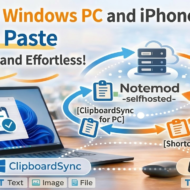
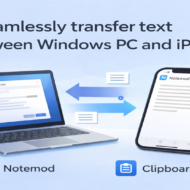
Clipboard Sync is a Windows tray application for sending and receiving Windows clipboard contents in coordination with Notemod-selfhosted.
It is an extended version based on Clipboard Sender, and currently supports sending and receiving text / images / files, a hotkey to receive the latest item, backup / media deletion, and a multilingual UI.
1. Version
Clipboard Sync v1.1.0
2. What It Can Do
Send
Clipboard Sync can automatically send the content currently in the Windows clipboard.
Supported content:
- Text
- Images
- Files
Destination:
api.php
Sending is monitored while the app is resident in the system tray, and sending can be enabled or disabled from the tray menu or via hotkey settings.
Receive
Clipboard Sync can receive the latest content on the server side into Windows.
Receive methods:
- Receive latest hotkey
- Receive text hotkey
- Receive image hotkey
- Receive file hotkey
Behavior after receiving:
- Sets the content to the Windows clipboard
- Automatically pastes with Ctrl+V when needed
Delete / Manage
- Delete all INBOX items
- Show backup count
- Show image count
- Show file count
- Delete all backups
- Delete all images / files (delete all media)
- Automatic cleanup
3. Required Server-Side APIs
To use Clipboard Sync, the following APIs are required on the Notemod-selfhosted side.
Write
api.php
Read
read_api.php
Actions used:
latest_notelatest_imagelatest_filelatest_clip_type
Cleanup
cleanup_api.php
Main operations used:
category=INBOXpurge_bakpurge_imagespurge_filespurge_mediadry_run=2
4. URL Input Specification
Each URL field can be used with either a directory path or a full path.
It is automatically normalized internally according to its purpose.
Examples of valid input
https://example.com/notemod/api/https://example.com/notemod/apihttps://example.com/notemod/api/api.phphttps://example.com/notemod/api/read_api.phphttps://example.com/notemod/api/cleanup_api.php
Auto-normalization rules
- POST URL / Connection Test →
api.php - Read API URL →
read_api.php - Cleanup API URL →
cleanup_api.php
In other words, the user can simply enter the /api/ directory and still use the application.
5. Settings Screen
The Clipboard Sync settings screen is mainly divided into the Send / Delete tab and the Receive tab.
6. Send / Delete Tab
POST URL
Set the destination API URL for sending.
You may enter either just the directory or a URL including api.php.
Token
Set the token (EXPECTED_TOKEN) used for sending and receiving.
Connection Test
Checks the connection using the currently entered POST URL and token.
Copy the directory to all API URLs
Extracts the /api/ directory part from the value in the POST URL field and copies it to the following two fields:
- Read API URL
- Cleanup API URL
Example
Even if the POST URL is any of the following:
https://example.com/notemod/api/https://example.com/notemod/api/api.phphttps://example.com/notemod/api/read_api.phphttps://example.com/notemod/api/cleanup_api.php
when you press this button, they are aligned like this:
- Read API URL →
https://example.com/notemod/api/ - Cleanup API URL →
https://example.com/notemod/api/
Enable / Disable Sending
Turns send monitoring ON / OFF.
Show Send Success Message
Switches whether to show a dialog when sending succeeds.
Send Hotkey
Sets the hotkey used for functions such as toggling sending on / off.
Basic Authentication
You can connect to APIs protected with Basic Authentication when necessary.
Settings:
- Username
- Password
Cleanup API URL / Cleanup Token
Set the cleanup API and token (ADMIN_TOKEN) for cleanup operations.
Automatic Cleanup
You can configure either of the following:
- Once per day
- Every X minutes
Count Display
With the current configuration, the following counts can be retrieved:
- Backup count
- Image count
- File count
Delete Buttons
- Delete all backups
- Delete all media (images + files)
Language Setting
Supported languages:
- English
- Japanese
- Türkçe
7. Receive Tab
Read API URL
Set the API URL for receiving.
You may enter either just the directory or a URL including read_api.php.
Token
Set the token (EXPECTED_TOKEN) used for receiving.
Hotkey Description
The following description is shown at the top of the settings screen:
Hotkeys can be cleared with the Delete or Backspace key.
Hotkey Layout
Receive hotkeys are arranged in two columns:
- Receive latest hotkey | Receive text hotkey
- Receive image hotkey | Receive file hotkey
Individual Hotkeys
- Receive latest hotkey
- Receive text hotkey
- Receive image hotkey
- Receive file hotkey
Auto Paste
After receiving, this setting automatically sends Ctrl+V.
Wait for Clipboard Stabilization
You can set a short wait time before pasting.
8. Receive Latest Hotkey
This is an important feature added in v1.1.0.
It calls read_api.php?action=latest_clip_type, checks the returned type, and automatically determines what to receive.
Decision rules
type = note→action=latest_notetype = image→action=latest_imagetype = file→action=latest_file
Benefit
No matter whether the latest clipboard item on the server is:
- Text
- Image
- File
the most suitable receive process can be executed with a single hotkey.
9. Clearing Hotkeys
While a hotkey field is focused, pressing either of the following will clear it:
- Delete
- Backspace
After clearing:
- The display becomes
Disabled - That hotkey will not be registered
10. Send Detection Priority
Clipboard contents are evaluated in the following priority order:
- File
- Image
- Text
In other words, if a file is present, it is sent with priority over images or text.
11. Loop Prevention
When received content is placed into the local clipboard, an internal suppression period is used so that the change is not sent automatically again.
This prevents a loop such as:
- Receive
- Set to local clipboard
- Auto-send
- Receive again
12. Notes on Auto Paste
Auto paste works by sending Ctrl+V.
Notes:
- It may not paste into applications running with administrator privileges
- It may fail depending on the current focus state
13. Saving and Encrypting Settings
Settings are saved per Windows user.
Encrypted items:
- Token
- Basic authentication password
- Cleanup token
These are encrypted using DPAPI.
14. Main Additions and Improvements in v1.1.0
Main changes from v1.0.2:
- Image sending
- File sending
- Image receiving
- File receiving
- Receive latest hotkey
- Automatic receive-type detection using
latest_clip_type - Multiple receive hotkeys
- Hotkey clearing with Delete / Backspace
- More flexible URL input
- Image count / file count display
- Delete all media
- Improved settings screen layout
- API URL bulk-copy helper button
15. Troubleshooting
Sending works, but the connection test fails
Check URL normalization on the connection test side and Basic Authentication settings.
The filename is not what you expected when receiving a file
Check whether file.original_name is included in the response from latest_clip_type.
Image / file counts cannot be retrieved
Check whether cleanup_api.php supports purge_images / purge_files / dry_run=2.
Auto paste does not work
Check the permissions and focus state of the destination application.
16. Links
- GitHub: https://github.com/StayHomeLabNet/ClipboardSync
- Help: https://stayhomelab.net/Clipboardsync
- Notemod-selfhosted: https://github.com/StayHomeLabNet/Notemod-selfhosted