📘 Notemod-selfhosted Manual (v1.1.0)
Notemod-selfhosted v1.1.0 is a self-hosted fork based on the original Notemod (static UI), optimized for running on your own server with a single JSON data source.
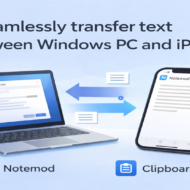
It is designed to minimize external dependencies and make it easy to move text smoothly between a Windows PC and an iPhone.
1. What is Notemod-selfhosted?
Key Features
- No GitHub / Gist dependency (everything is stored in
notemod-data/data.jsonon your server) - Provides sync + APIs in PHP (intended for iPhone Shortcuts / external tools)
- Works great with a Windows clipboard sender app (ClipboardSender) to push text into Notemod
- Access logs can be recorded as:
- Raw log files, and/or
- Notes inside a Notemod “Logs” category (both can be enabled/disabled)
- Automatically creates .htaccess to block direct access to sensitive folders (
notemod-data/,config/,logs/) - Read API supports
pretty=2to return body text only (plain text) - Web UI Authentication (added in v1.1.0): supports hosts where Basic Auth cannot be used
- PWA support (added in v1.1.0): install to home screen and use like an app
2. Requirements (v1.1.0)
- PHP 8.1 or newer is required (since v1.1.0)
- HTTPS recommended (effectively required for PWA usage)
- Common PHP extensions:
json,mbstring(often enabled by default)
3. Directory Structure (Typical)
public_html/
├─ index.php                    # Notemod UI
├─ logger.php                   # access logging (file / Notemod logs)
├─ notemod_sync.php             # sync endpoint (save/load)
├─ setup_auth.php               # Web UI auth setup/management (v1.1.0)
├─ login.php                    # login page (name may differ by implementation)
├─ logout.php                   # logout
├─ account.php                  # account page (password change etc.)
├─ auth_common.php              # shared auth functions (session / guards etc.)
├─ api/
│  ├─ api.php                   # add note
│  ├─ read_api.php              # read API
│  └─ cleanup_api.php           # admin cleanup (purge_log / purge_bak in v1.1.0)
├─ notemod-data/
│  └─ data.json                 # single data source (runtime)
├─ config/
│  ├─ config.php                # secrets + common settings (DO NOT COMMIT)
│  └─ config.api.php            # API tokens + paths (DO NOT COMMIT)
├─ logs/                        # file logs (only when enabled)
├─ robots.txt                   # block crawlers (recommended)
└─ (PWA files)                  # manifest / service worker / icons etc. (v1.1.0)
config/andapi/are expected to be in the same directory level asindex.php.
If you change the structure, update the PHP paths accordingly.
4. Quick Setup (Minimal)
4.1 Upload to your server
Upload the repository files into your public web directory, e.g. public_html/.
4.2 Create config files (IMPORTANT)
In v1.1.0, it is automatically generated during the initial setup in the Web UI.
To configure the time zone, enable or disable logging, and enable or disable automatic creation of backup files, please edit the configuration file below.
config/config.sample.php→config/config.phpRename and edit- Or edit
config/config.php config/config.api.sample.php→config/config.api.phpRename and edit- Or edit
config/config.api.php
Never commit these to GitHub:
config/config.phpconfig/config.api.php
Keep them only locally / on the server and ensure they are in .gitignore.
4.3 First initialization (first run only)
Open your site URL in a browser to launch Notemod.
Choose the display language and create the first category.
This will typically create (depending on environment/settings):
notemod-data/data.json(initial snapshot)notemod-data/.htaccess(auto, blocks direct access)config/.htaccess(auto, blocks direct access)logs/+logs/.htaccess(if file logging is enabled)
5. Security (VERY IMPORTANT)
5.1 Recommended protection order
- (If possible) Basic Auth + token (strongest)
- If Basic Auth is not available → Web UI auth + token (supported since v1.1.0)
- If possible, add IP restriction (when you can use a fixed IP)
Web UI auth (v1.1.0) is intended for environments where Basic Auth is not provided or cannot be used.
5.2 Auto-generated .htaccess (block direct access)
If .htaccess does not exist, Notemod-selfhosted can auto-generate the following:
<IfModule mod_authz_core.c>
  Require all denied
</IfModule>
<IfModule !mod_authz_core.c>
  Order allow,deny
  Deny from all
</IfModule>
Targets (depending on environment/settings):
notemod-data/(protectsdata.json)config/(protects secrets)logs/(protects log files)
Some hosting environments disable
.htaccess. In that case, Web UI auth or Basic Auth becomes the main protection.
5.3 robots.txt
A robots.txt is included to discourage search indexing.
Note: robots.txt does not block malicious access; authentication is what matters.
6. Web UI Authentication (Added in v1.1.0)
6.1 What it does
- Makes Notemod login-protected even without Basic Auth
- Provides first-time admin user creation
- In production:
- Not logged in → sensitive values (like tokens) are masked and not editable
- Logged in → account/auth management becomes available
6.2 Basic flow (overview)
- Open
setup_auth.php - First time (no auth file exists yet):
- Create the initial user
- Generate/store required secrets (e.g.
config/auth.phpdepending on your implementation)
- After setup:
- Not logged in: view-only / masked values
- Logged in: admin features enabled
The actual auth storage filename may differ by implementation (e.g.
config/auth.php).
In any case: never commit it to GitHub.
6.3 Settings icon in Notemod UI (Added in v1.1.0)
A settings (gear) icon is added to the Notemod UI.
Menu items (example routing):
- Logout →
./logout.php - Account →
./account.php - Auth Info →
./setup_auth.php
7. data.json Structure (Important)
Notemod stores categories and notes as JSON strings inside data.json.
Example:
{
  "categories": "[{...},{...}]",
  "notes": "[{...},{...}]",
  "selectedLanguage": "EN"
}
In PHP you must decode twice:
json_decode()the whole file first- then
json_decode($data['notes'])andjson_decode($data['categories'])
8. Configuration Files
8.1 config/config.php (Common + Secrets)
Typical keys (based on the sample):
SECRET: sync token (recommend 16+ chars)TIMEZONE: e.g.Asia/TokyoDEBUG: enable debug logs like_sync_debug.logINITIAL_SNAPSHOT: initial data for first run- Logger settings:
LOGGER_FILE_ENABLEDLOGGER_NOTEMOD_ENABLEDLOGGER_LOGS_DIRNAME(e.g.logs/logs1)
8.2 config/config.api.php (API settings + Secrets)
Typical keys:
EXPECTED_TOKEN: normal API tokenADMIN_TOKEN: admin cleanup token (use a strong value)DATA_JSON: path tonotemod-data/data.jsonDEFAULT_COLOR: default color for created categories/notesCLEANUP_BACKUP_ENABLED: enable/disable backup creation before cleanup
9. logger.php (Unified Access Logging)
You can enable/disable two logging methods:
- Raw log file:
/logs/access-YYYY-MM.log - Notemod Logs category: note
access-YYYY-MMinside categoryLogs
Logs category rules
- Category name:
Logs - Monthly note:
access-YYYY-MM - New entries are prepended (latest on top)
read_api.php?action=latest_notealways excludesLogs(to get the latest “normal note”)
10. notemod_sync.php (Server sync save/load)
10.1 What it does
action=save: saves JSON string from clientaction=load: returns JSON string stored on server- First run: creates
data.jsonfromINITIAL_SNAPSHOTif missing - Auto-creates
.htaccessfornotemod-data/andconfig/if missing
10.2 Required parameters
token:SECRETfromconfig.phpaction:saveorload
11. api.php (Add Note API)
Endpoint: /api/api.php
| Parameter | Required | Description |
|---|---|---|
| token | ✓ | EXPECTED_TOKEN |
| text | ✓ | note body (multi-line allowed) |
| title | optional | defaults to a timestamp |
| category | optional | defaults to INBOX |
Behavior:
- If
categoryis omitted,INBOXis created automatically (if missing) textis stored as HTML (\n→<br>, withhtmlspecialcharsfor XSS protection)- Returns JSON
Example (GET):
https://YOUR_SITE/api/api.php?token=EXPECTED_TOKEN&category=Memo&text=AAA12. read_api.php (Read API)
Endpoint: /api/read_api.php
12.1 Supported actions
action=list_categoriesaction=list_notesaction=latest_note(excludesLogs)action=get_note(bycategory+title)
12.2 pretty
pretty=1: pretty-printed JSONpretty=2: forlatest_note/get_note, returns body only (plain text):- converts
<br>to newlines - strips HTML tags
- decodes HTML entities
- normalizes newline characters
Example:
https://YOUR_SITE/api/read_api.php?token=EXPECTED_TOKEN&action=get_note&category=Manual&title=v1.0.0&pretty=213. cleanup_api.php (Dangerous operations / Cleanup)
Endpoint: /api/cleanup_api.php
13.1 Common rules
- POST only
- Requires
confirm=YESto actually execute (butdry_run=1is allowed without confirm) - Token:
ADMIN_TOKEN(orEXPECTED_TOKENfallback) - If
CLEANUP_BACKUP_ENABLEDis ON, creates a backup first: data.json.bak-YYYYmmdd-HHMMSS
13.2 Delete all notes in a category (legacy feature)
Use the category parameters defined by your implementation.
Execution requires confirm=YES.
13.3 Purge backup files (Added in v1.1.0)
purge_bak=1(orpurge_bak=true)dry_run=1: list targets only (no deletion)- Without
dry_run: requiresconfirm=YES
13.4 Purge log files (Added in v1.1.0)
purge_log=1(orpurge_log=true)- Targets:
.logfiles underlogs/(exact rules depend on implementation) dry_run=1: list targets only- Without
dry_run: requiresconfirm=YES
14. Basic Auth and calling the APIs (Notes)
14.1 Browser access
With Basic Auth, the browser will usually show a username/password prompt.
The
https://user:pass@host/...style is legacy and may be blocked by modern browsers.
14.2 iPhone Shortcuts (recommended)
Use “Get Contents of URL” with:
- Header:
Authorization: Basic base64(user:pass) - Query/body:
token,action, etc.
15. ClipboardSender (Windows App) Integration
Goal: send clipboard text from Windows into Notemod instantly, making “Windows → iPhone” text transfer easy.
Typical flow:
- ClipboardSender reads clipboard
- Sends to
/api/api.phpwithtext=...&category=INBOX - iPhone reads via
read_api.php?action=latest_note&pretty=2
Recommended setup:
- Use
INBOXas your incoming category - Build an iPhone Shortcut for “PC → iPhone”
- Use auth (Basic or Web UI) + token together
16. PWA Support (Added in v1.1.0)
16.1 Benefits
- Add to home screen on iPhone/Android and launch like an app
- More “app-like” full-screen experience
16.2 Requirements / Notes
- HTTPS is effectively required
- Some shared hosts restrict Service Workers
16.3 Add to Home Screen (iPhone example)
- Open Notemod in Safari
- Share button → “Add to Home Screen”
- Launch from the home screen icon
17. Permissions (Typical)
Common shared-host permissions:
- Folders:
755 - PHP files:
644 data.json/ logs:600–644(as long as the server can write).htaccess:644
Notes:
- Writable:
notemod-data/and (if enabled)logs/ - If not writable, sync/logger will fail
18. Publishing to GitHub (Read carefully)
Safe to publish:
- PHP/HTML/JS (
index.php,api/,logger.php,notemod_sync.php, auth UI files) config/*.sample.phpREADME,LICENSE,.gitignore,robots.txt- PWA public files (manifest/icons/service worker)
Never publish (DO NOT COMMIT):
config/config.phpconfig/config.api.php- Auth secret storage file (e.g.
config/auth.php, depending on your implementation) notemod-data/data.jsonlogs/and*.log*.bak-*backup files
19. API Examples (v1.1.0)
19.1 Add a note
GET/POST /api/api.php?token=EXPECTED_TOKEN&category=Memo&text=AAA19.2 Get latest note (body only)
GET /api/read_api.php?token=EXPECTED_TOKEN&action=latest_note&pretty=219.3 Get note list
GET /api/read_api.php?token=EXPECTED_TOKEN&action=list_notes&pretty=119.4 Get body by category + title
GET /api/read_api.php?token=EXPECTED_TOKEN&action=get_note&category=aaa&title=i&pretty=219.5 Basic Auth (legacy URL-embedded style)
https://USER:PASS@YOUR_SITE/api/api.php?token=EXPECTED_TOKEN&category=Memo&text=AAA19.6 Purge log files (POST) — Added in v1.1.0
curl -X POST "https://USER:PASS@YOUR_SITE/api/cleanup_api.php" -H "Content-Type: application/x-www-form-urlencoded" --data-urlencode "token=ADMIN_TOKEN" --data-urlencode "purge_log=1" --data-urlencode "confirm=YES"19.7 Purge backup files (POST) — Added in v1.1.0
curl -X POST "https://USER:PASS@YOUR_SITE/api/cleanup_api.php" -H "Content-Type: application/x-www-form-urlencoded" --data-urlencode "token=ADMIN_TOKEN" --data-urlencode "purge_bak=1" --data-urlencode "confirm=YES"20. Upgrade Guide: v1.0.2 → v1.1.0 (Recommended)
- Back up your existing environment:
notemod-data/data.jsonconfig/config.phpandconfig/config.api.php- auth secret file (if you already use Web UI auth)
- Upload/overwrite repository files:
- Do not overwrite your
config/anddata.json
- Switch your server to PHP 8.1+
- Open Notemod in a browser and verify it works
- If Basic Auth is unavailable, initialize Web UI auth via
setup_auth.php - For PWA usage, verify HTTPS + manifest/service worker paths are correct